English
 Français
 Español
 Português
 中国人
中国人
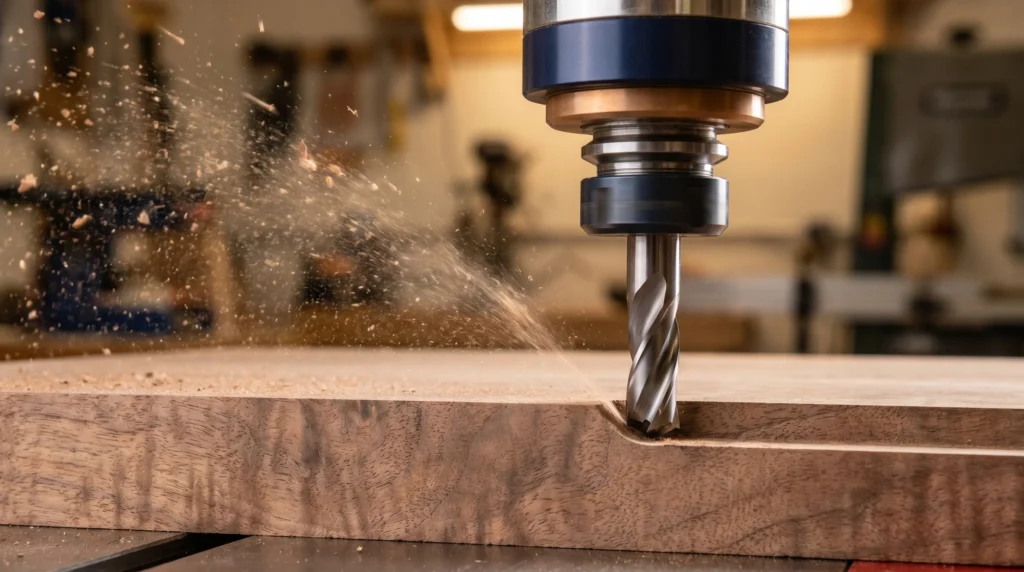
Ask ten woodworkers about router bit feeds and speeds and you’ll get ten different answers, often based on feel and habit more than principle. The good news is that there’s a straightforward framework behind the numbers — once you understand chip load, the relationship between RPM and bit diameter, and a few key cutting principles, you’ll be able to dial in better results on both handheld routers and CNC machines. This guide gives you that framework along with a practical reference table.
Safety First
Always follow the RPM ratings printed on your router bits and never exceed them. Wear eye protection and hearing protection. Ensure workpieces are properly clamped or held before routing. Do not run damaged, chipped, or visibly worn bits. Follow your router and machine manufacturer’s operating instructions at all times.
What Is Chip Load?
Chip load is the thickness of material each cutting edge removes with every pass. It’s the foundational concept behind feeds and speeds. Too little chip load and you’re rubbing more than cutting — you generate heat, dull your edges prematurely, and burn your workpiece. Too much chip load and you’re overloading the bit, risking deflection, chatter, tear-out, or in extreme cases, bit failure.
The basic formula: Chip Load = Feed Rate ÷ (RPM × Number of Flutes)
In practice, this means:
- Faster feed rate = larger chip load
- Higher RPM = smaller chip load (assuming constant feed)
- More flutes = smaller chip load per flute (assuming constant feed and RPM)
For most solid wood routing, a chip load in the range of 0.005″–0.015″ per flute per revolution is a reasonable starting target, though the right number varies with bit diameter, material, and cut depth. Manufacturer guidelines for specific bits are always the best starting point.
RPM and Bit Diameter
Router bits are speed-rated, and the rating matters. A large-diameter bit moving at the same RPM as a small bit has a dramatically higher rim speed — the outer edge of a 3″ bit at 20,000 RPM is moving far faster than the edge of a 1/4″ bit at the same RPM. High rim speed on a large bit means excessive heat, burning, and accelerated wear.
As a general rule, larger diameter bits run at lower RPM. The table below gives general guidance for typical router bit speeds — treat these as starting points and always check your specific tooling’s manufacturer rating.
Router Bit Speed Reference — General Guidance Only
| Bit Diameter | General RPM Starting Range |
|---|---|
| Up to 1″ | 20,000–24,000 RPM |
| 1″ to 1-1/2″ | 16,000–20,000 RPM |
| 1-1/2″ to 2″ | 12,000–16,000 RPM |
| 2″ to 2-1/2″ | 8,000–12,000 RPM |
| Over 2-1/2″ | 8,000 RPM or less |
These are general starting ranges only. Always follow the RPM rating on your specific bit and the limits of your router or spindle. When in doubt, start lower and adjust.
Feed Rate in Practice
Feed rate (how fast you move the workpiece or router through the cut) works together with RPM to determine chip load. A common mistake is running at high RPM with a very slow feed rate — this actually increases heat because the bit is spinning fast and taking tiny, rubbing bites rather than clean shavings. You want to be moving fast enough that the bit is cutting efficiently.
For handheld routing, feed rate is intuitive — you feel resistance in the cut and adjust accordingly. For CNC and table-mounted router applications, start with the chip load formula and your target chip load, calculate a feed rate, then adjust based on results.
General guidelines:
- Hardwood (oak, maple, cherry): Start with a moderate feed rate; go slower for complex profiles or large-diameter bits.
- Softwood (pine, cedar): Can generally handle somewhat faster feed rates, but watch for fuzzing and tear-out.
- Sheet goods (MDF, plywood): MDF is abrasive and dulls carbide faster than solid wood; run sharper bits and check edges frequently.
Climb Cutting vs. Conventional Cutting
In conventional cutting, the bit rotation works against the direction of feed — this is the standard, safest method for most routing operations. The bit pushes the workpiece into the fence or fixture, and the cut is predictable.
In climb cutting, the bit rotation moves in the same direction as feed. This can reduce tear-out on certain grain directions, but it also means the bit tends to pull the workpiece (or router) along with it, which can cause a sudden, aggressive grab if you’re not prepared. Climb cutting on handheld routers is not recommended for most woodworkers. On CNC or table setups with well-secured workpieces, a light climb-cutting pass for final cleanup can be effective — but only if you understand what you’re doing and have the setup to control it.
As a practical guideline: use conventional cuts as your default. If you’re seeing tear-out on a particular grain direction, a very light finish pass in climb direction (with a securely held workpiece and a controlled, experienced hand) can help — but always prioritize workpiece security and operator control.
Avoiding Burning
Burning is almost always caused by one of three things:
- Dull cutting edges — a sharp bit cuts; a dull bit rubs and heats.
- Feed rate too slow — the bit spins in place and generates friction rather than taking a clean chip.
- RPM too high for the bit diameter — excessive rim speed creates heat before the chip can carry it away.
Fix burning by sharpening or replacing the bit first, then increasing feed rate slightly, then reducing RPM if the diameter warrants it. Don’t just slow down and hope for the best — that usually makes burning worse.
CNC Router Tooling
CNC routing introduces the added ability to dial in chip load precisely because both RPM and feed rate are programmable. This makes it easier to optimize your cutting parameters, but it also means that a poorly set program will damage tooling consistently and at scale. CGG Schmidt supplies CNC router tooling including solid carbide spiral bits, compression bits, and custom profiles — with the experience to help you match tooling to your material and application.
For questions about router bit feeds and speeds, tooling selection, or getting custom profiles ground, contact Charles G.G. Schmidt & Co. at 1-800-SCHMIDT or sales@cggschmidt.com. We’ll help you find the right bit and the right parameters for the job.